Three layer folder creation
User can create folder, sub-folder, sub-sub-folder for convenience. This feature has been revised to enable user segregate the mails under various headings so that it’s easy for user to search for similar types of mails.
1. Create New Folder :
2. Go to the folder section, select Parent folder.
3. Under this folder select the folder under which you want to create sub folder.
4. Let’s say, I want to create a folder Technical. Under technical I have various folders say, Software, Mobile, QA, Under Mobile I have various folders say iOS, Android etc.
In this case,
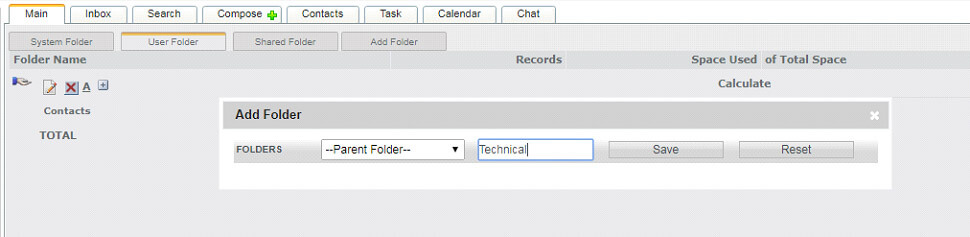
5. Select “Parent Folder” and enter the name “Technical” and hit save. Technical Folder is created.
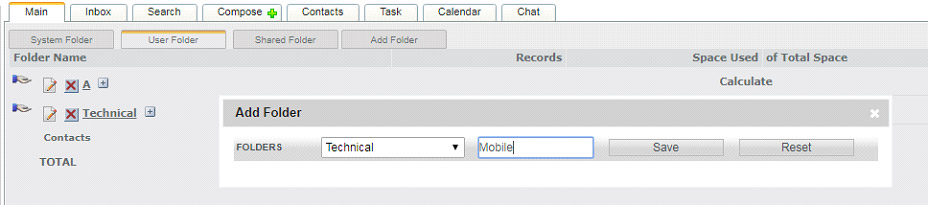
Now in parent folder select “technical” and correspondingly write “Mobile” and hit save.
Mobile folder is created under Technical folder.
Now in parent folder select “Technical/Mobile” and correspondingly write “iOS” and hit save.
iOS folder is created under Technical/Mobile folder.
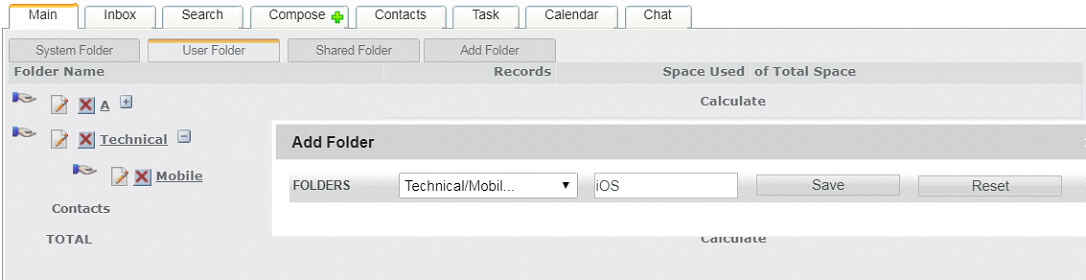
Now in parent folder select “Technical/Mobile” and correspondingly write “iOS” and hit save.
iOS folder is created under Technical/Mobile folder..
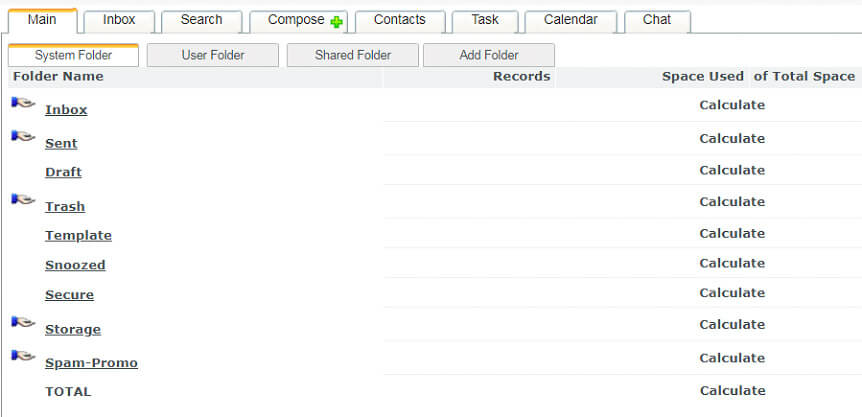
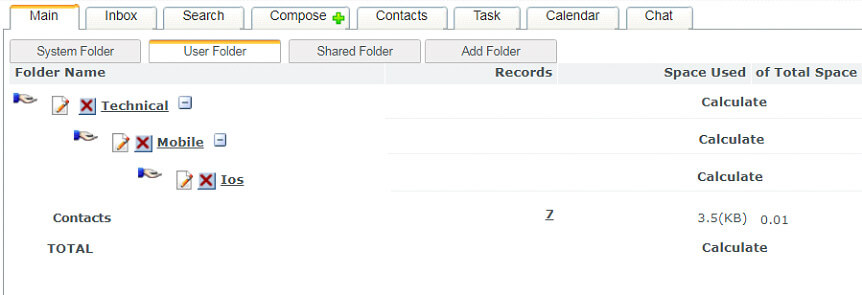
Now the user will be able to see this folder under “User Folder” Tab. iOS folder under Mobile folder under Technical folder.